I’m working in the lab with Stijn and Malthe setting up an ALE experiment using the turbidostat. I would like the dosing automation to remove the desired volume (~90%) before adding media back in. Currently it seems there is no way to do this, that instead I can only cycle a certain volume, and that the waste tube must be at the top of the working volume. I don’t want to do this as I would expect that removing only media from the top not to be a representative dilution and I want to remove a consistent percent of the biomass at each cycle.
Has anyone run into a similar problem and if so how have you solved it?
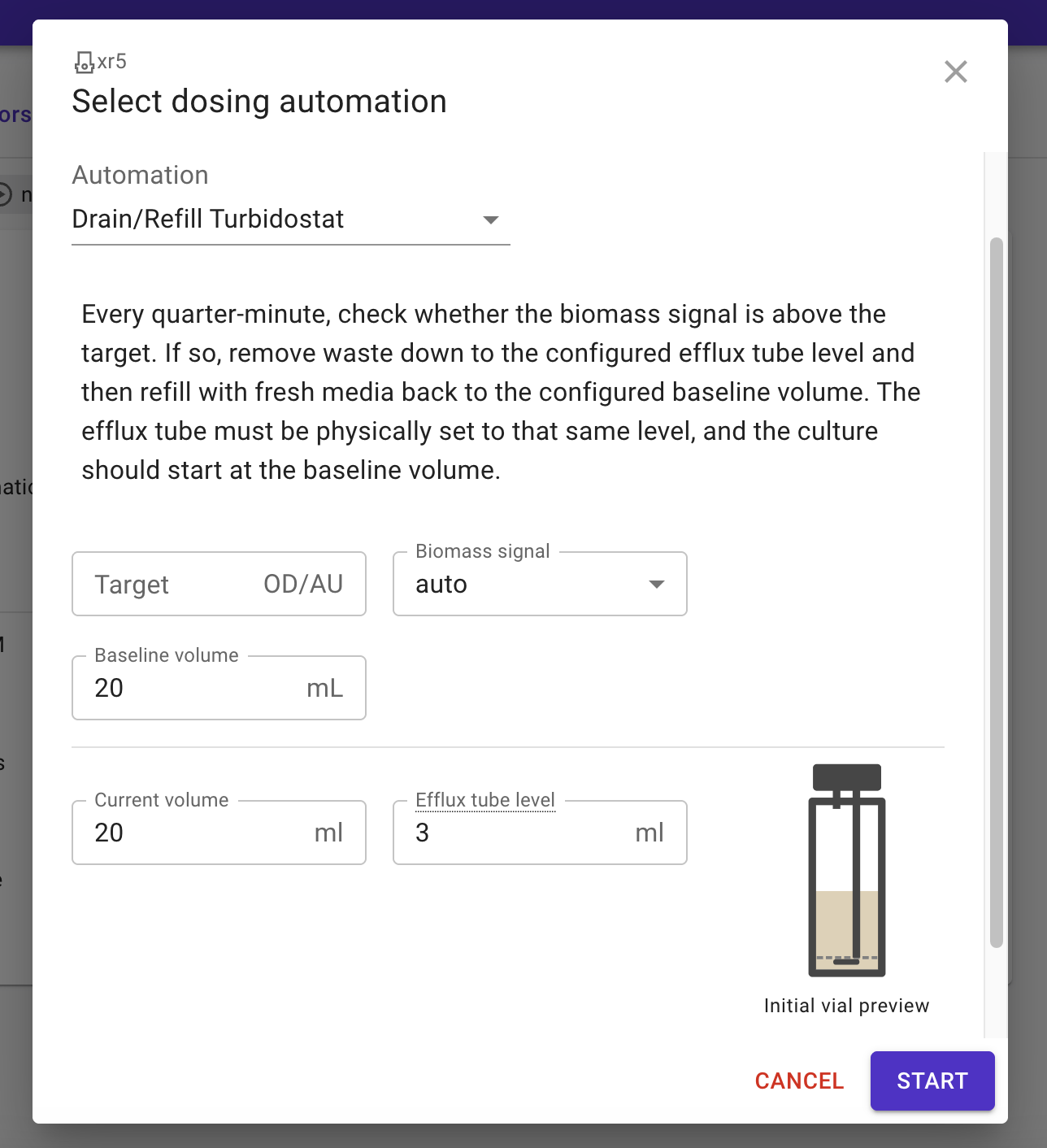
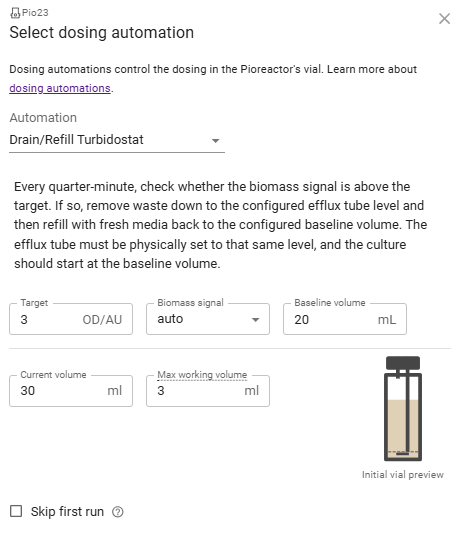
I’m using the built in automation, and I want to position the waste tube at the 3mL level but have a working volume of 20mL, two things which I can’t seem to decouple in the experiment. In other words, I’d like to have a volume of 20mL most of the time, but be able to draw it down to 3mL before adding more media.
Upon review, I think I once again want to make a design change here. Perhaps “max working volume” is doing too many things: position of efflux tube, and (suggesting) the working volume. Your pattern breaks that, and makes me rethink this. Let me get back to you shortly.
So, I think you do need a custom automation for this, regardless of the changes I make. Mainly because this has some custom logic to “bring it back up to 20ml”. Anyways, it’s not hard to add.
I made this automation with version 26.4.0 in mind, since that does some re-naming which makes the visual more clear.
I’ve tried running this code, but the on/off indicator on the UI for dosing automations never turned to on, and the samples exceeded the threshold set with no triggering of the dilution.
That does not error out immediately, instead the little green light comes on in the web interface. I’ll let it run and see whether it acts as expected. Additionally, the error that came up when trying to run through the web interface shows " DrainRefillTurbidostat.init() missing 1 required positional argument: ‘efflux_tube_volume_ml’"
EDIT: it does error out as soon as it is triggered, just took a bit of time for the normalized OD to register. The error is “‘DrainRefillTurbidostat’ object has no attribute ‘efflux_tube_volume_ml’”. Additionally, the ui does’t display the same image or input boxes as the screenshot from above, although it is probably worth mentioning that we are running 26.3.3.
EDIT: once upgraded to 24.0.0 it no longer errors out, but the ui method of activating the automation does not work. The command line you sent earlier does work as expected though.
This is what I see. There is no efflux tube field and it triggers an error saying “DrainRefillTurbidostat.init () missing 1 required positional argument: ‘efflux_tube_volume_ml’”