After attempting to upload the updated zip file, the following text appeared. What might be causing this update error? Additionally, the growth rate of one reactor is currently inaccessible.
the following text appeared.
Hi @Xiahui, sorry, your text didn’t show up - can you post it again?
Additionally, the growth rate of one reactor is currently inaccessible.
Can you further explain what you are seeing (or not seeing but expect to)?
Software Update Errors
It remains me
“Update failed. See logs.”
I am unable to update over internet on my website.This message appeared when I attempted to update from zip file.

Regarding growth rate issue, whenever I open the “Growth rate", it automatically disconnected after a short while. The following is displayed in the log file.
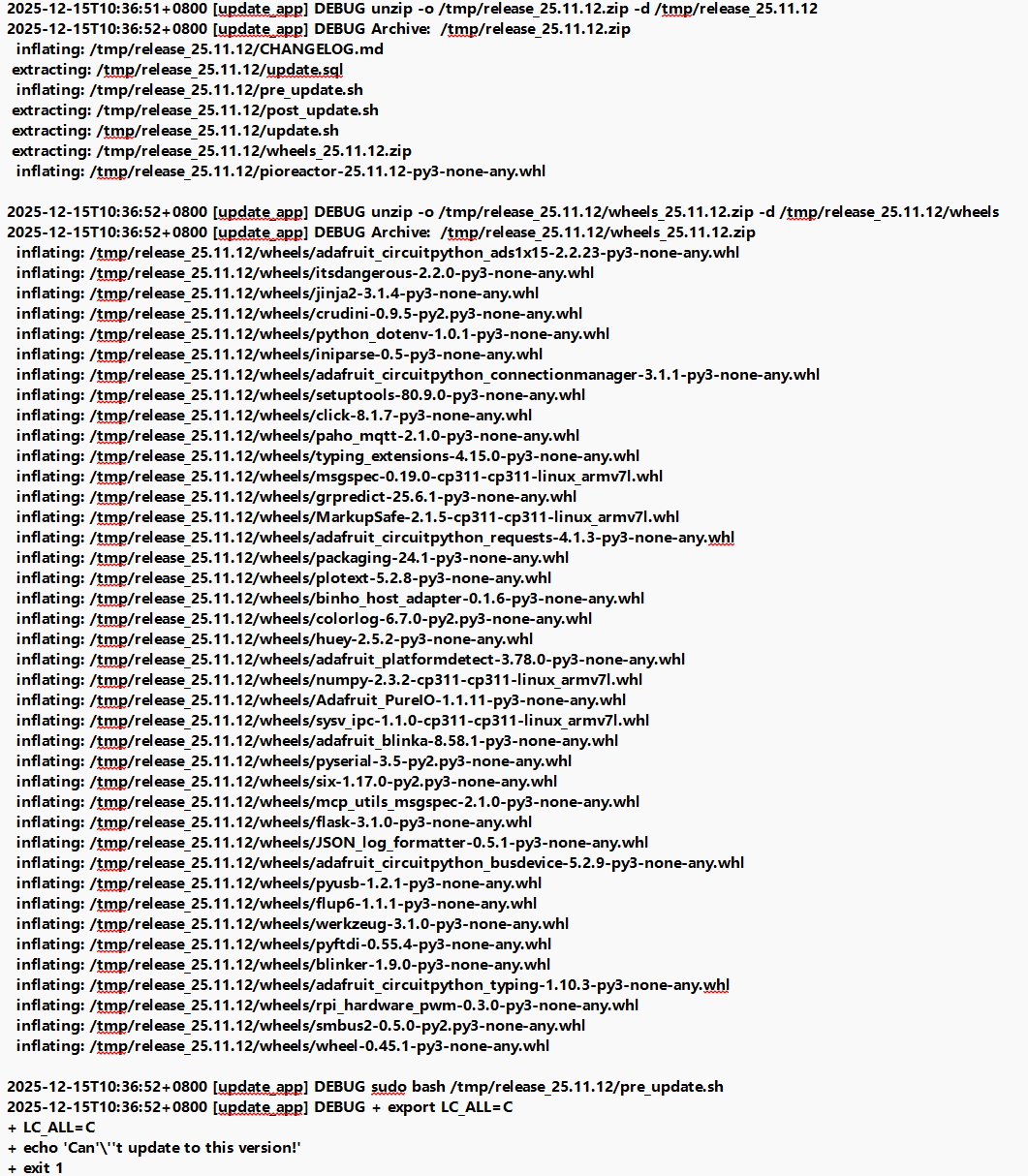
Yes, so, the 25.11.x release is a full OS upgrade, so you need to re-write the SD card: New major Pioreactor software release: 25.11.12 | Pioreactor
Hm, that growth-rate error is weird. Unfortunately I can’t determine what happened from the logs. Can you SSH into this Pioreactor, can run
pio run growth_rate_calculating
That should fail fast, and will tell us more.
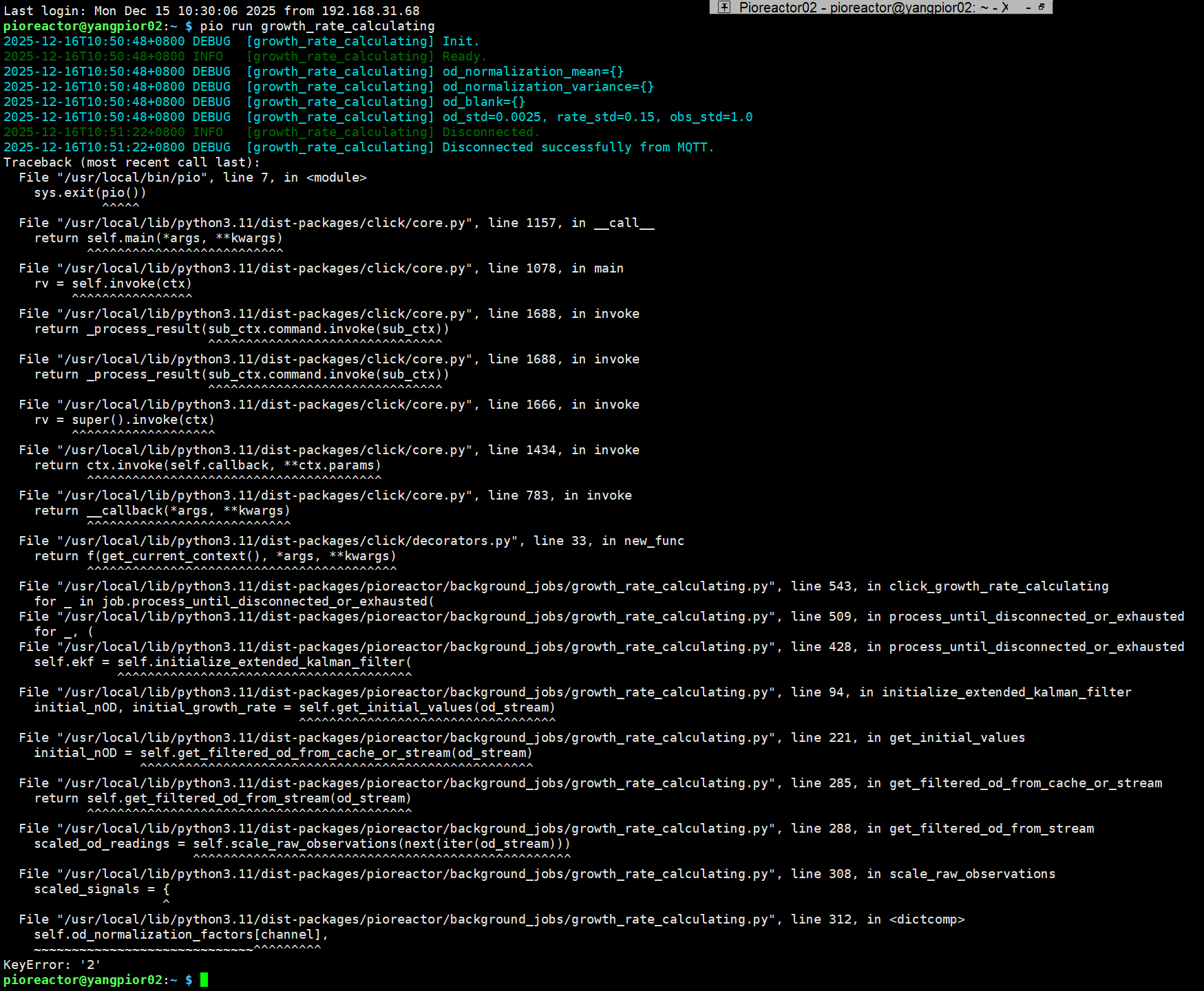
And your OD reading is working just fine? Can you share the [od_config.photodiode_channel] section in your configuration, and what version of the Pioreactor model you have?
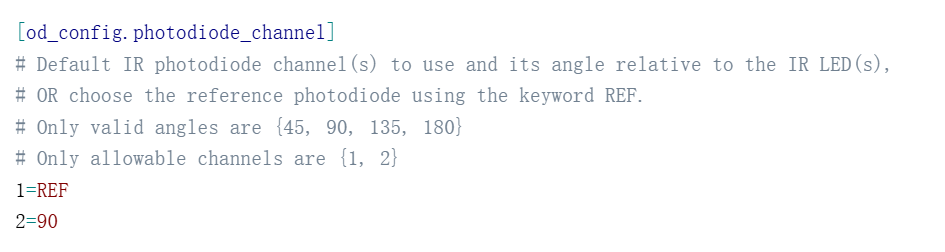
Here’s my config code. My Pioreactor model version is 20mL, v1.1. I’ll try to update my software to the lastest version now.
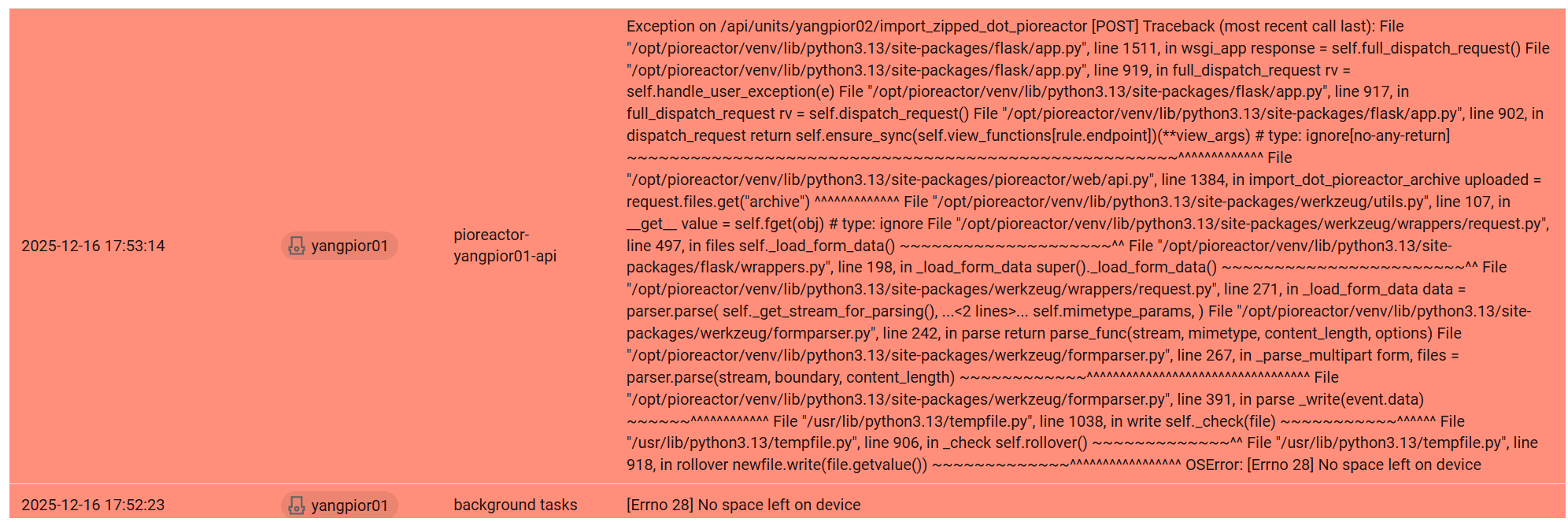
When I attempted to import my leader system zip file, another error occurred. However, the zip file is only 200MB.
hm, okay. I think I know. I think the error is that it’s downloading to /tmp, which is a directory that lives in RAM, and your RAM size is much less than your SD card size (probably have a 512mb or 1gb model of Pi?). Let me think of a solution for you.
SSH into your new leader, and try:
(for an RPi Zero 2):
sudo mount -o remount,size=400M /tmp
(for an RPi 4 or 5):
sudo mount -o remount,size=800M /tmp
This will allocate more RAM to /tmp until you reboot. If you get the same problem, let me know.
After run this code and rebooting, the import still failed, with the error ‘No space’ persisting.
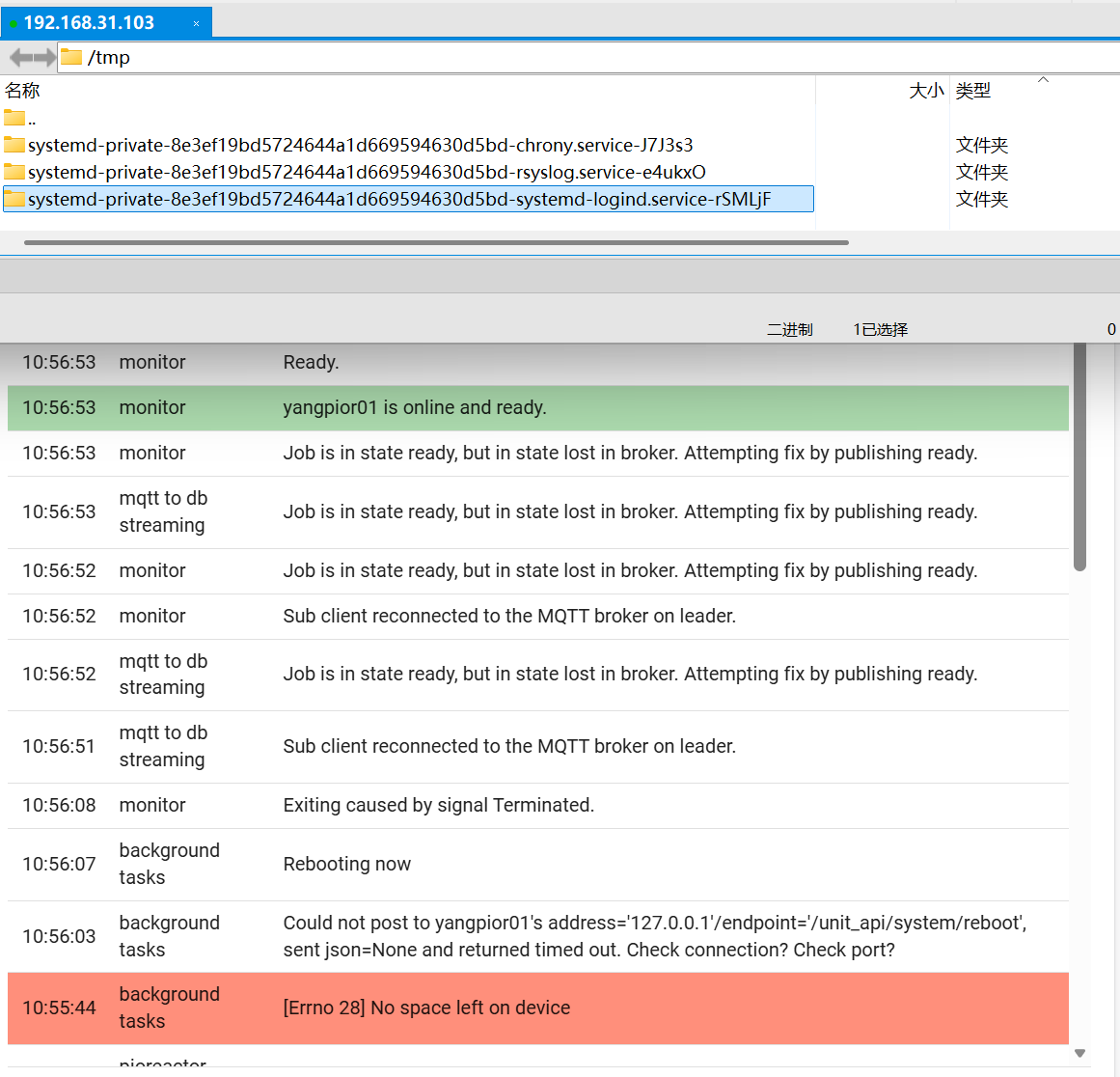
Then I SSH into my leader and remove all other previously imported ZIP files and folders under /tmp.
Upon retrying the upload, although it indicated a successful import, the ’No space‘ error reappeared. Following the reboot, the configuration file and calibrations had not been updated.
If all else fails, I shall have to manually import the calibration file and modify the configuration file.