Hi Cameron, hope you’re well 
I’ve made a custom automation. The actual automation is working fine and it shows up in the “Select dosing automation” menu but I’m having difficult displaying the automation as “On” in the UI, and it also doesn’t show me the option to “Stop” it:
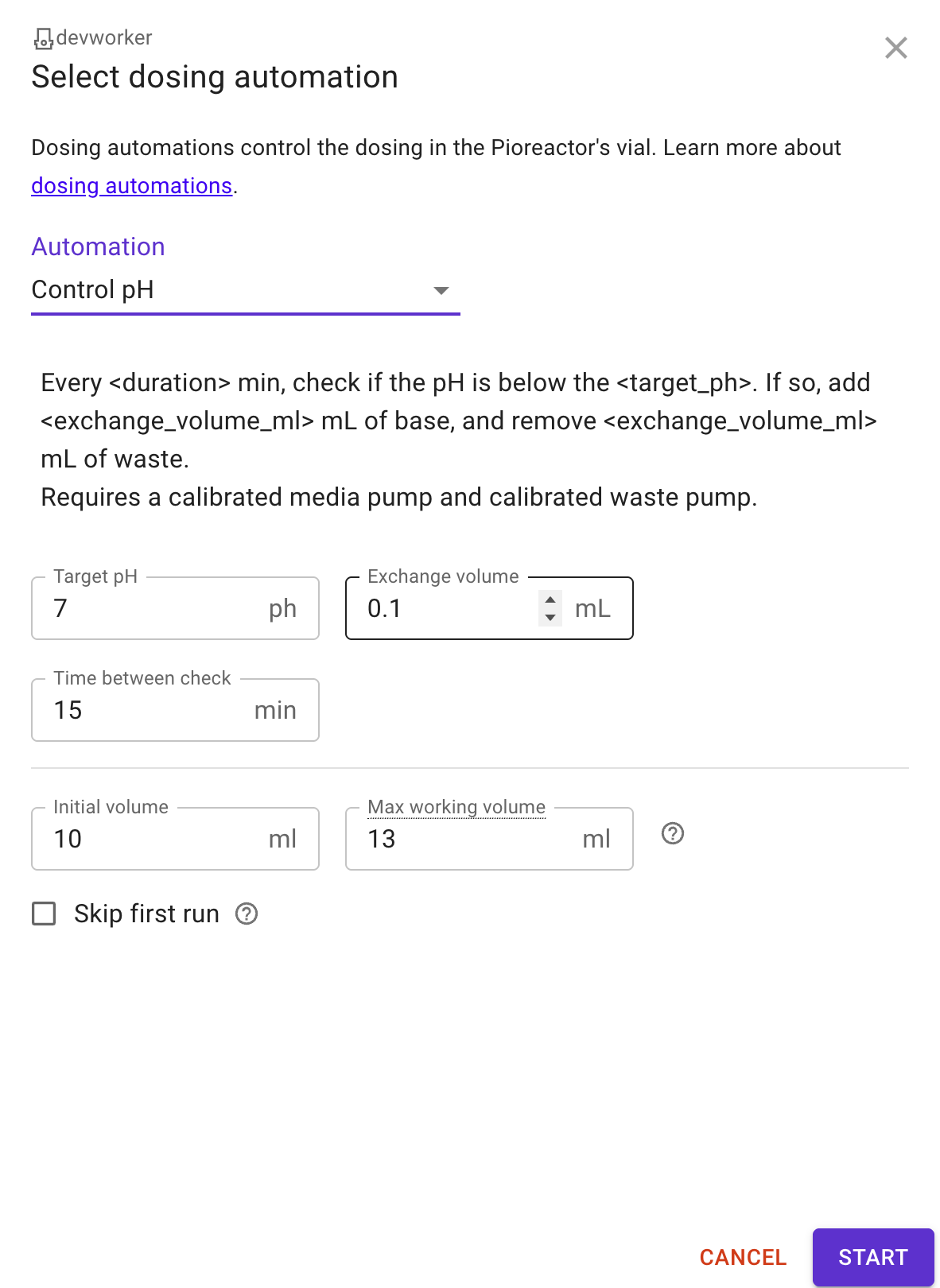
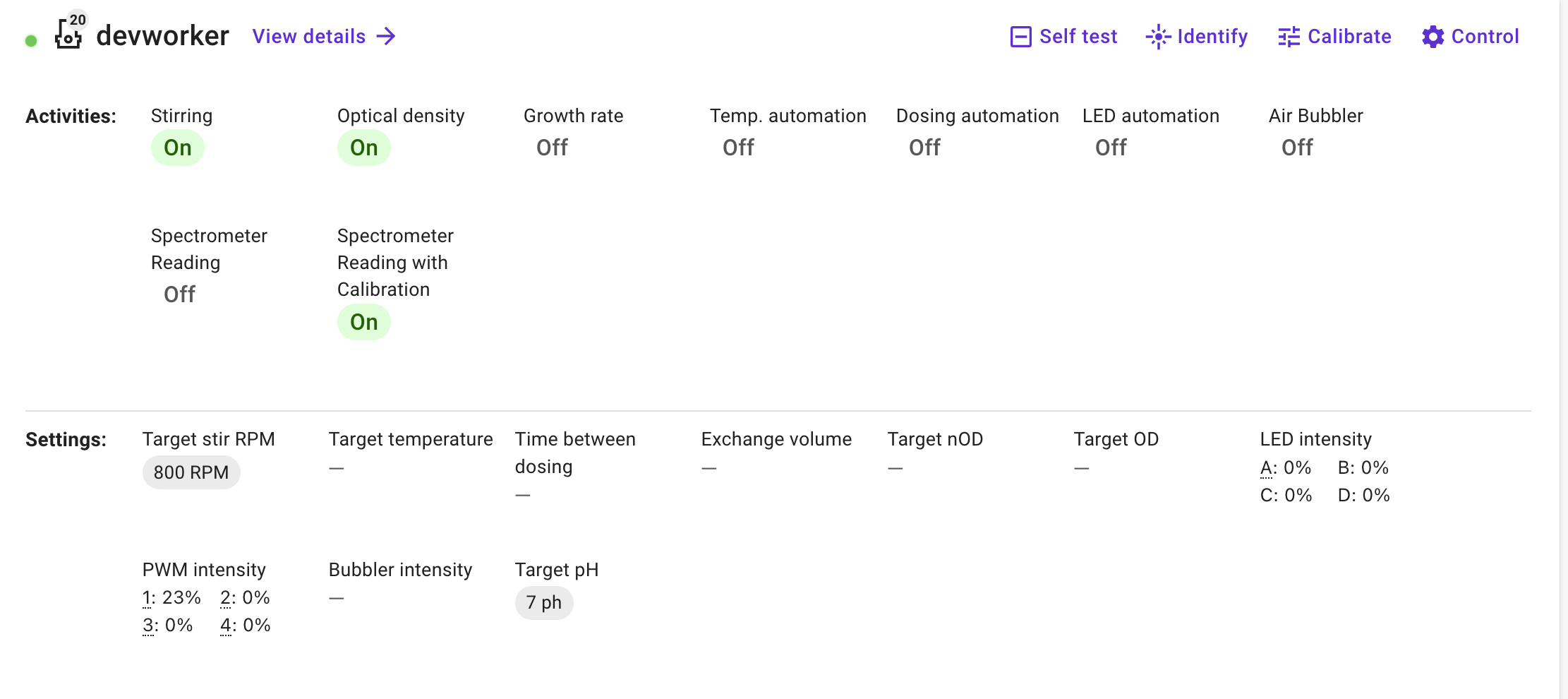
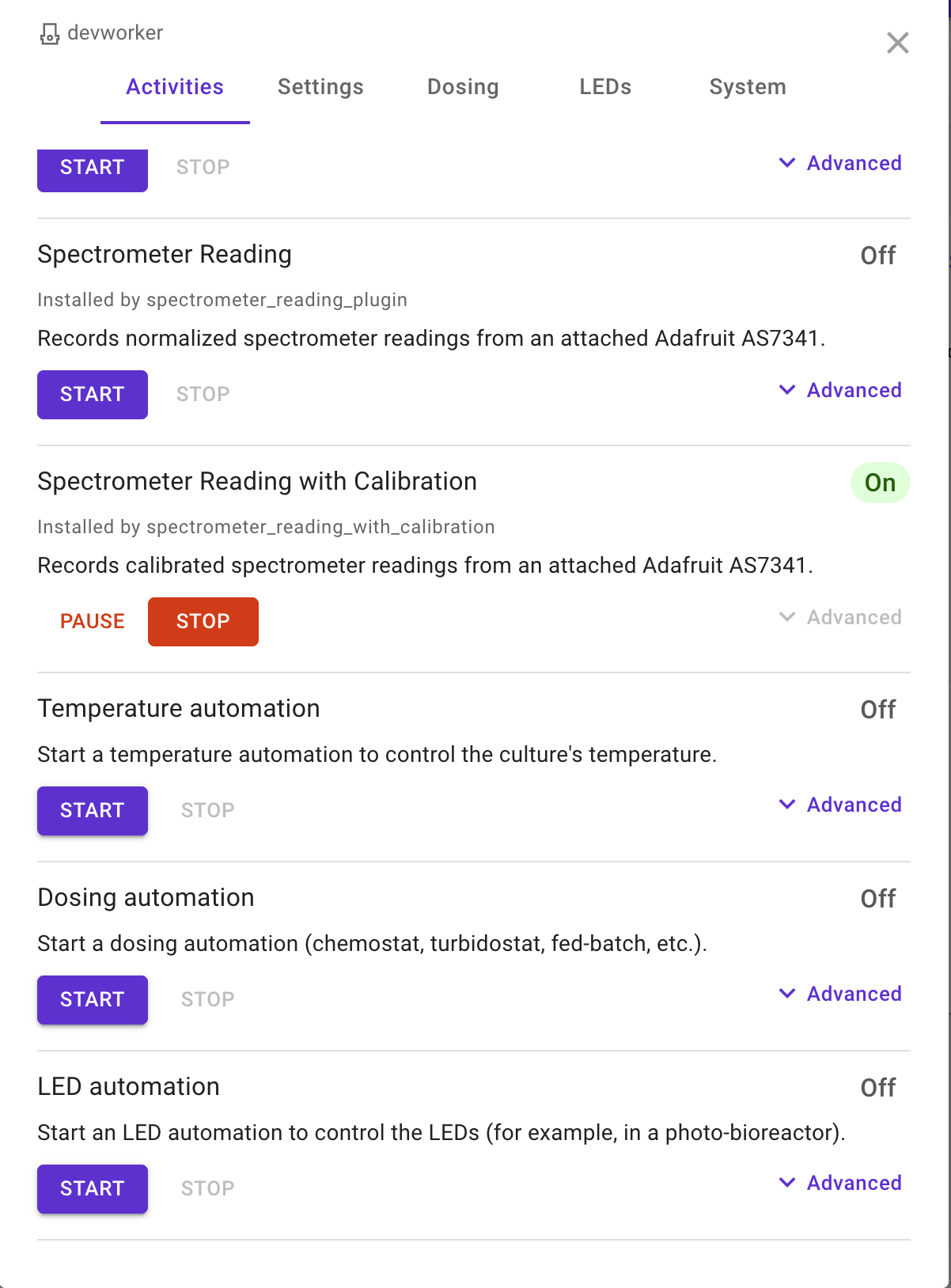
In contrast to chemostat:
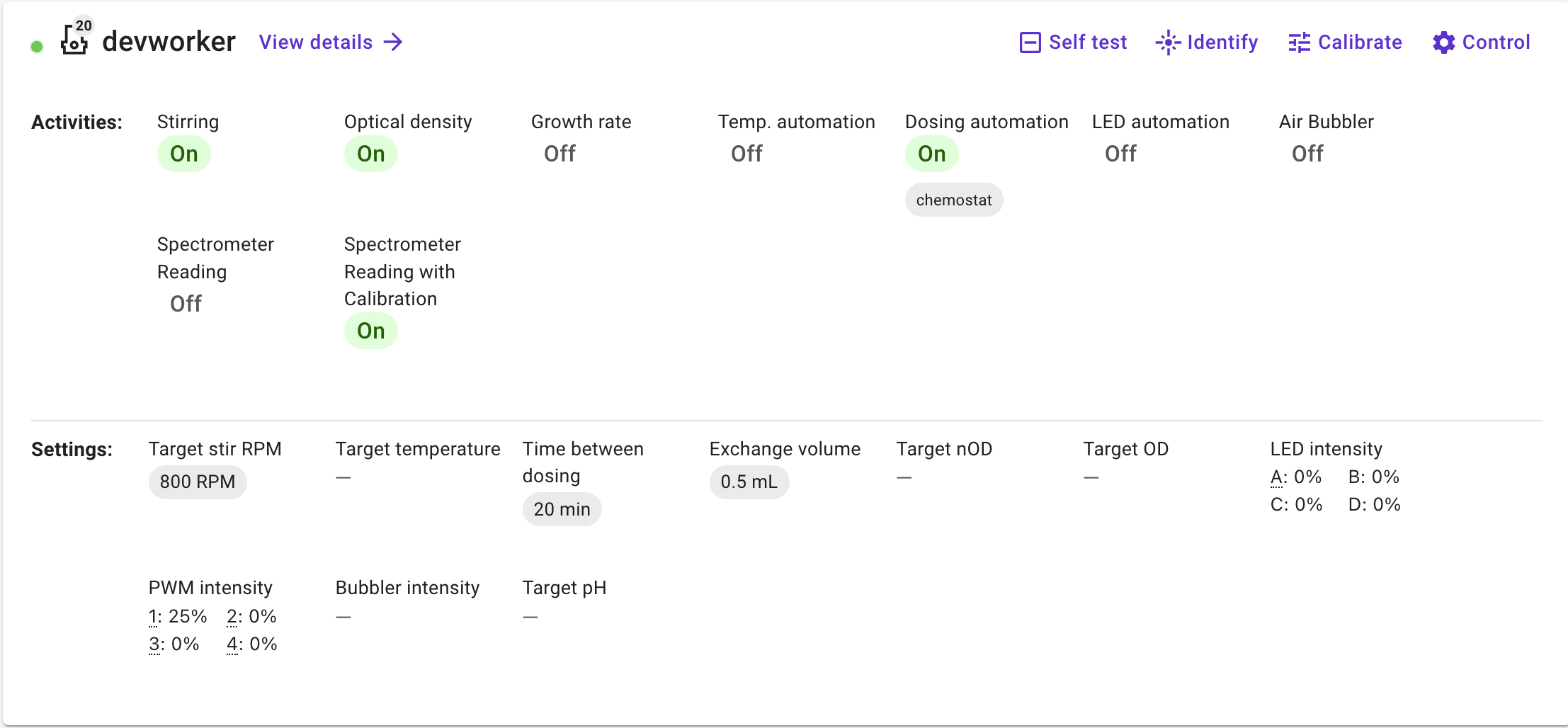
I can see it’s on by the Target pH in the Settings showing as what I’ve set it to but it’d be great to be able to see it as “On” and “Stop” it similar to the chemostat.
I have tried:
- The attached yaml file in
~/.pioreactor/plugins/ui/contrib/automations/dosing
control_ph.yaml (588 Bytes) (This seems to be doing what I expect in terms of giving me those options in the “Select dosing automation” menu - The attached yaml file in:
~/.pioreactor/plugins/ui/contrib/jobs
ph_prediction_and_control.yaml (315 Bytes)
With this setup I get the “Target pH” in the settings.
I have also tried:
- changing:
~/.pioreactor/plugins/ui/contrib/jobs/ph_prediction_and_control.yamlsource to “app” or “ph_prediction_and_control” (my plugin name) - deleting
~/.pioreactor/plugins/ui/contrib/jobs/ph_prediction_and_control.yamland just having~/.pioreactor/plugins/ui/contrib/automations/dosing(but the “Target pH” in the Settings disappears) - moving
~/.pioreactor/plugins/ui/contrib/automations/dosing/control_ph.yamlto/var/www/pioreactorui/contrib/automations/dosing(as the other user tried here) - Overwriting
/var/www/pioreactorui/contrib/jobs/04_dosing_automation.yamlwith added published_settings - Creating
~/.pioreactor/plugins/ui/contrib/jobs/04_dosing_automation.yamlwith added published_settings
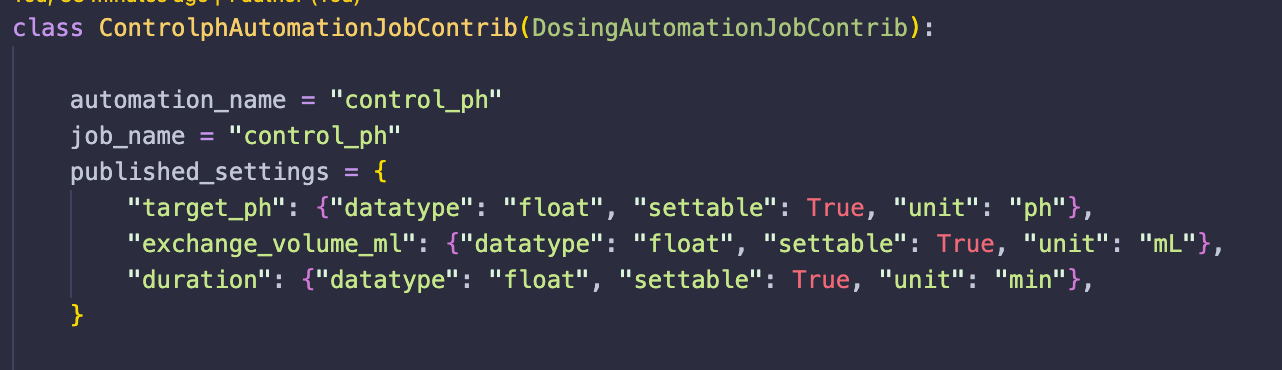
The automation inherits from DosingAutomationJobContrib and has an automation_name specified:
On each change, I refreshed the UI and also waited 30 seconds, and I have also rebooted. I’d be most grateful for any insights! Thanks in advance. Vicky
